MADE FOR YOUR MAC

Your Mac.
In harmony.

Less heat. More peace of mind.
Temperature, cooling and free space —
in one beautifully native app.

14 days free · no card · Apple Silicon and Intel

YOUR MAC TODAY

Work with peace of mind.
We'll keep an eye on things.

● System healthy
CPU · TEMPERATURE54°CAverage 48 °C
GPU · LOAD12%Room for your ideas
COOLING1,520RPMSystem profile
Cooling profile

Interactive interface preview · demo values

Everything under controlNative. Built with Swift.
macOS 14+Apple SiliconIntelEnglish and Russian
TAKE A CLOSER LOOK

Made for Mac.
Designed around you.

A native interface. Clear details. All in one place.

Current interface captured on a MacBook Pro with M1 Pro. Readings and available sensors vary by Mac model.

THE BIG PICTURE

One glance.
More understanding.

Temperatures, load, memory and cooling together. See the state of your Mac as a whole, with context for each reading.

Your key readings in one native window.
Explore the interface
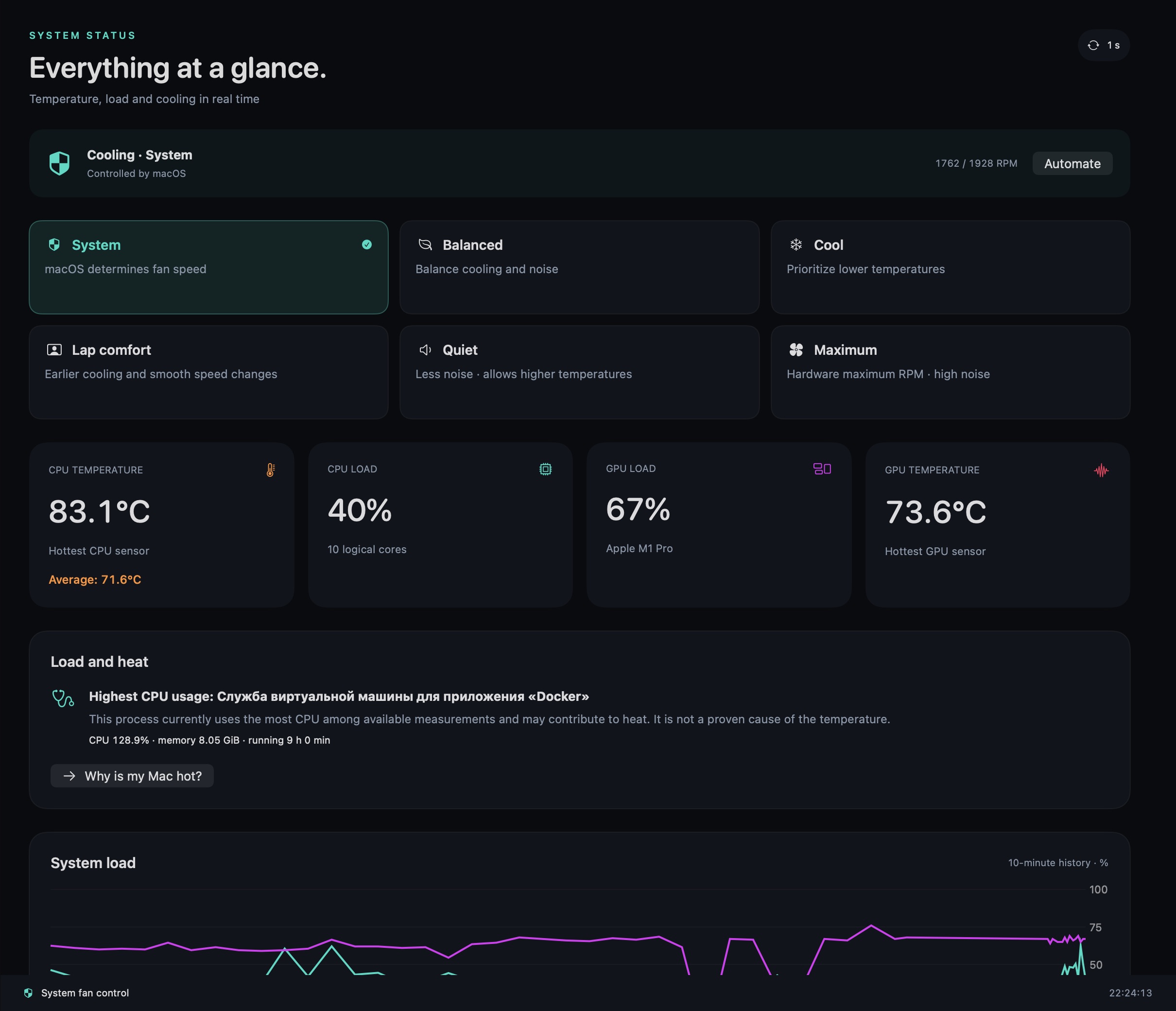
Clarirove overview: temperatures, load and fans
TEMPERATURE MAP

Less scrolling.
More clarity.

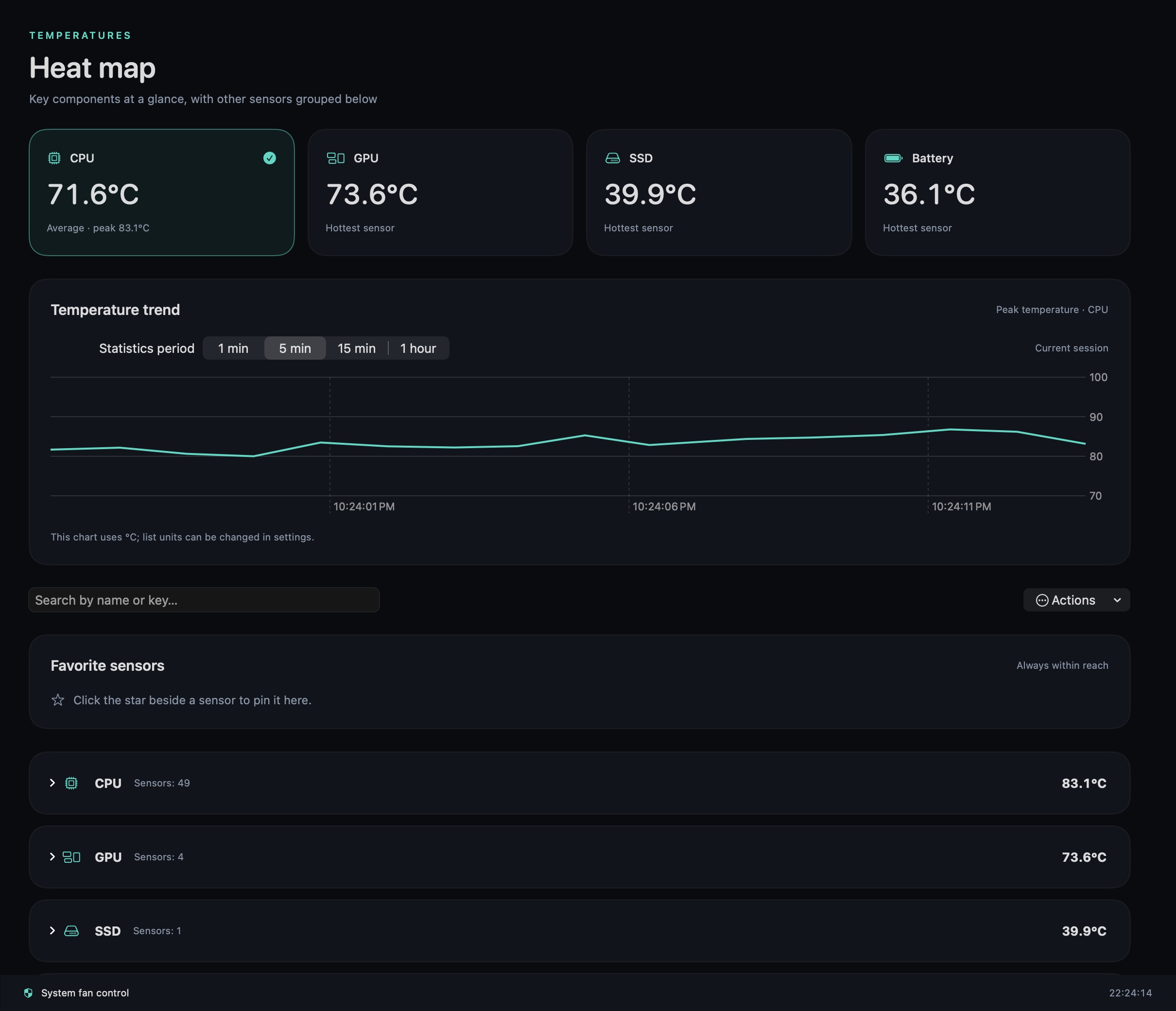
CPU, GPU, SSD and battery in clear groups. Average CPU temperature complements the hottest sensor, while history helps reveal trends.

From the big picture to the sensor you need.
Explore the interface
Clarirove temperature map and measurement history
PROCESSOR

Behind the percentage:
every core.

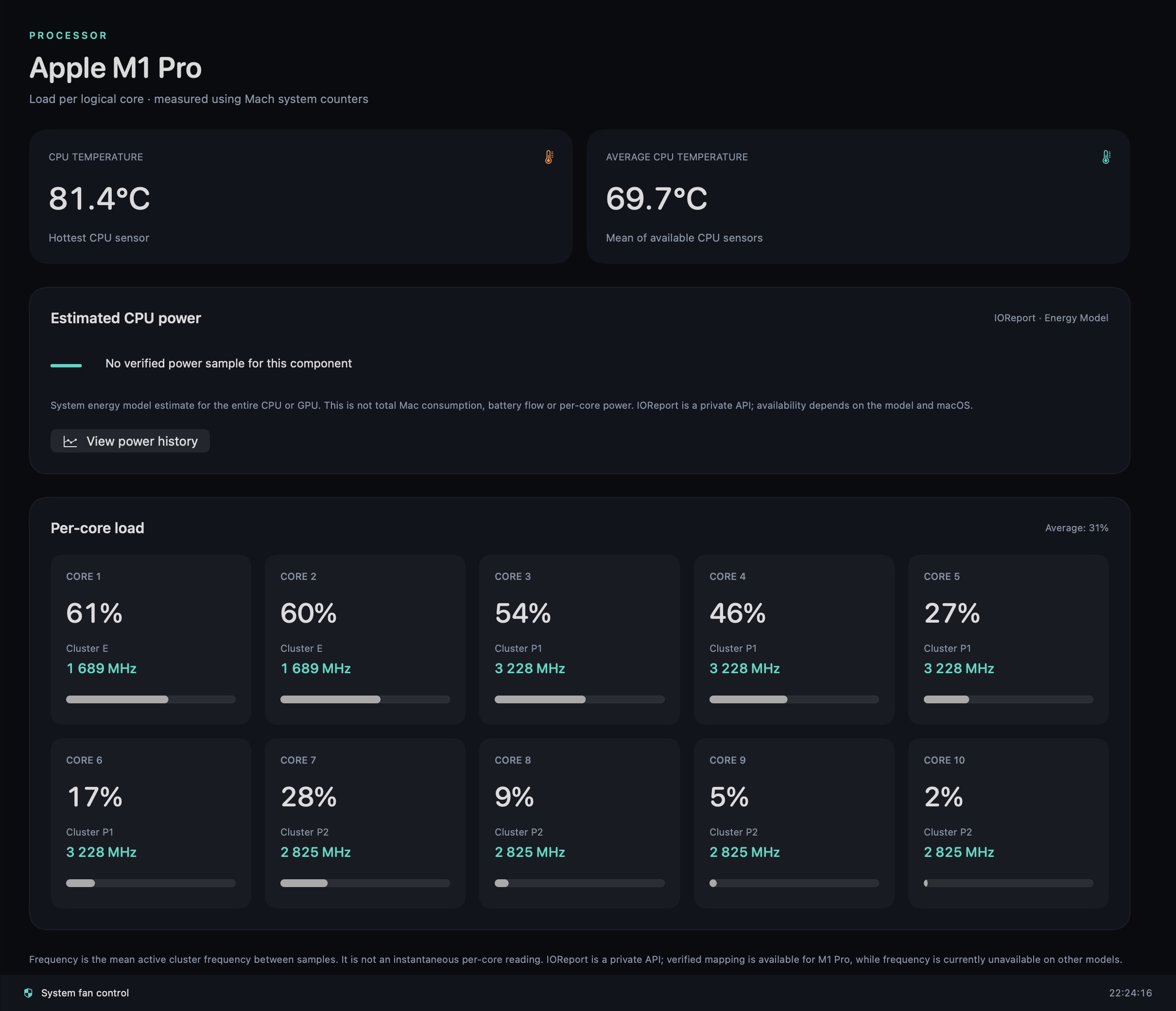
Overall load does not tell the whole story. Explore how work is distributed between cores and view available frequency readings to understand your processor.

Per-core details without switching between utilities.
Explore the interface
Clarirove per-core processor load
BATTERY AND ENERGY

Beyond the charge.
The full picture.

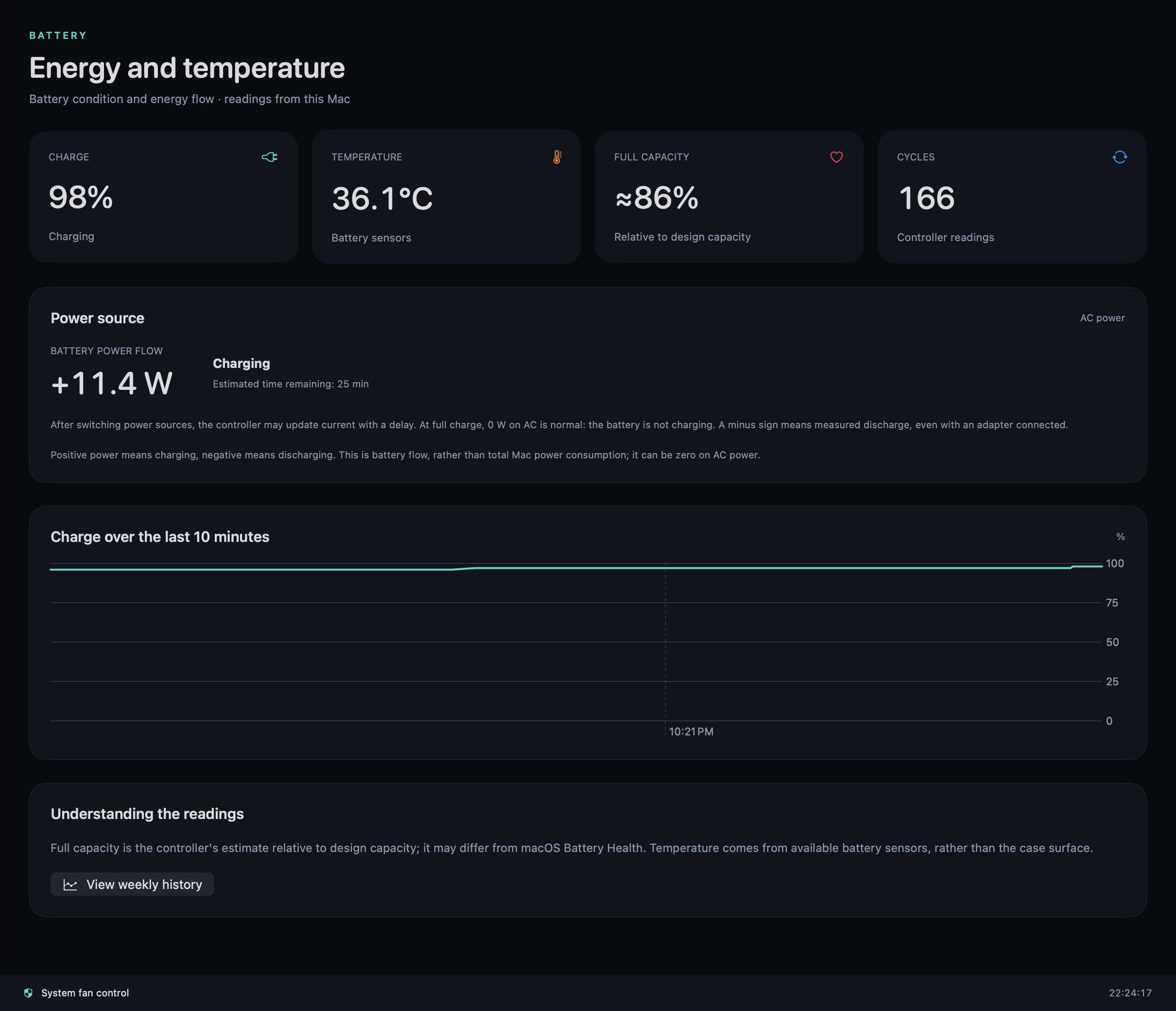
Charge level, battery health and available power readings in the same app. Keep an eye on your Mac at your desk or on the move.

Energy and heat in the same context.
Explore the interface
Clarirove battery and power readings
LESS SWITCHING. MORE CONTROL.

Monitoring. Cooling. Cleanup.

Clarirove brings these tasks together with one interface, shared history and a one-time license.

Try it free ↓
YOUR COMFORT. YOUR CHOICE.

Take a breath.
Your Mac can too.

On your lap, at work or in a quiet room.
Choose the cooling profile that fits your day.

macOS manages fan speeds automatically.

Fan control depends on the Mac model and SMC availability. Monitoring is available on fanless Macs.

THOUGHTFULLY DESIGNED

By your side.
When you need it.

01

A native experience

Built with Swift, with an interface designed for macOS. Available in Russian and English.

02

Quiet monitoring

Efficient monitoring is the default. Adjust the refresh rate to suit your needs.

03

You're in control

Choose your cooling profile and the files to clean up. You can return fan control to macOS.

GET TO KNOW CLARIROVE

14 days.
Everything for your Mac.

Try every Clarirove feature for free. No card and no automatic charges.

Love it? Buy it once ↗

Download. Try. Decide.

Install the app and click “Start 14 days free”. An internet connection is required to start; offline access then lasts up to 7 days within your trial period.

Mac with Apple Silicon · Coming soon Mac with Intel · Coming soon

macOS 14 or later. One trial per Mac; reinstalling does not reset it. A one-time license is required after 14 days.

ONE PURCHASE. YOUR MAC.

A little care.
Every day.

Every Clarirove feature in one license.
No monthly payments.
Try it free for 14 days first ↑

Clarirove
Personal license · 1 Mac
19.00 USD

Base price

One-time purchase

  • Monitoring and diagnostics
  • Cooling profiles on supported Macs
  • Storage analysis and cleanup
  • Versions for Apple Silicon and Intel

Sales will open soon. We are preparing the public launch.

USER EXPERIENCES

Your Mac.
Your story.

The first reviews will appear here after moderation.

Leave a review ↗

Share your experience — help us make Clarirove better.

A FEW MORE DETAILS

Good questions.

Will Clarirove work on my Mac?

Requires macOS 14 or later. Builds are available for Intel and Apple Silicon. Sensors and fan control depend on the model. Core hardware scenarios have been tested on a MacBook Pro with M1 Pro; testing on other models is ongoing.

How does the trial work?

Enjoy 14 days of full access from starting the trial in the app. No card or purchase key is required. An internet connection is needed to start and periodically renew offline access. Reinstalling does not reset the trial; you can purchase and activate a license without reinstalling.

Is this a subscription?

No. A personal license is a one-time purchase for one Mac. Update terms are listed on the purchase page.

Can I transfer my license to another Mac?

Yes. Deactivate your previous Mac, then activate your new one. If your old Mac is unavailable, contact support.

How does cleanup work?

Analyze folders, review the results and choose what to clean up. The app moves selected items to the Trash. Clarirove does not claim every file it finds is safe to remove.

What happens after payment?

Once payment is confirmed, you'll receive your license key and download links. Activation requires an internet connection.